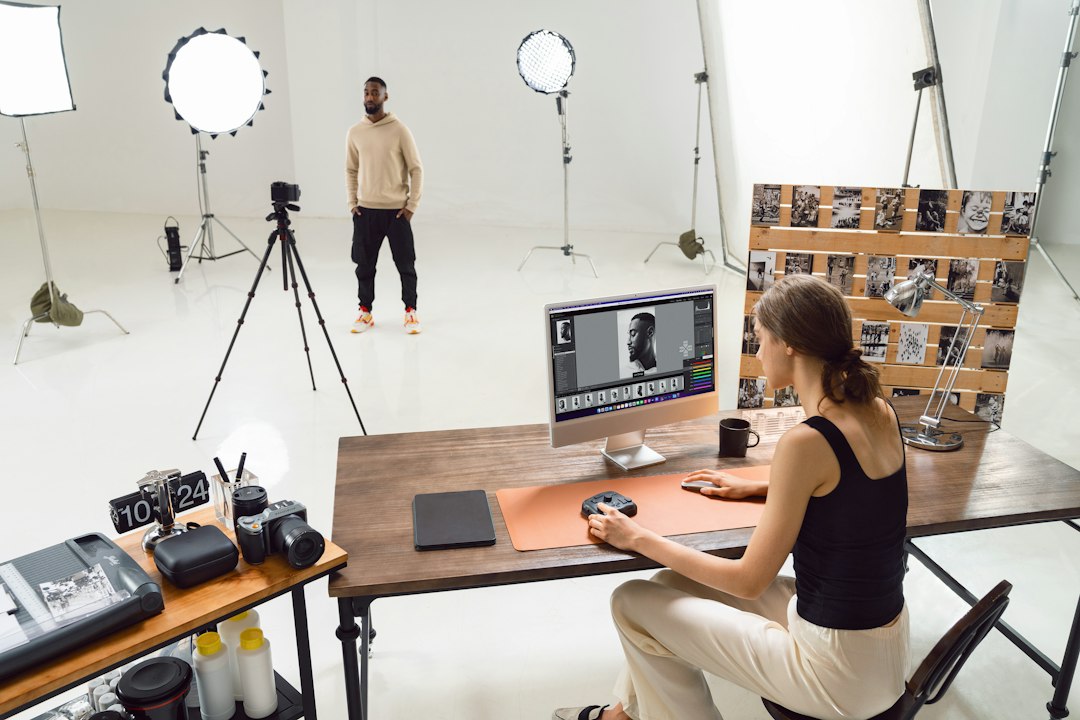
Imagen AI has been positioning itself as something more than a post-cull retouching accelerator for a while now. The more recent direction of its workflow, though, puts pressure on a sequence that most photographers have treated as settled: cull first, edit second, export third. Imagen’s approach increasingly suggests those steps don’t need to happen in that order — and in some configurations, the culling judgment and the editing pass can happen nearly in parallel. That’s worth examining closely, because it changes what “a finished workflow” actually means.
The Traditional Pipeline, and Why It Worked
The cull-then-edit sequence has a straightforward logic. You ingest a shoot, flag keepers, reject obvious failures (motion blur, closed eyes, exposure disasters), and only then commit processing time to the files that earned it. Lightroom, Capture One, and most DAM tools are designed around this order. Culling is cheap — you’re only flipping through previews. Editing is expensive — it’s where you invest decisions about exposure, color, and local adjustments. Doing them in sequence means you never polish a file you’re going to discard.
That logic made even more sense when editing meant manual slider work on every file. If you spent four minutes per image on color grading, you absolutely did not want to do that to 300 frames before deciding which 40 mattered. The workflow’s shape was driven by the cost of editing.
AI-assisted editing changes the cost structure. When a trained model can apply a full adjustment preset — one calibrated to a specific photographer’s output — to a batch of RAW files in seconds, the “don’t edit before culling” argument loses some of its force. Imagen’s pitch, in essence, is that editing can become cheap enough that the strict ordering no longer needs to be enforced.
What Imagen Actually Does Differently
Imagen works by training on a photographer’s approved edits to learn a personal style model, then applying that model to new images. The technical mechanism involves analyzing tonal distribution, white balance, and adjustment history from curated examples, then deriving parameter targets for incoming files. It doesn’t operate at the pixel level the way a content-aware heal or AI mask does — it’s producing Lightroom adjustment values that are written back into the catalog as parametric edits, leaving the underlying RAW data untouched.
That non-destructive output matters here. Because Imagen’s edits are reversible — they’re catalog-level adjustments, not baked renders — the barrier to editing before culling drops substantially. If the model applies adjustments to 300 files and you then cull 260 of them, you haven’t wasted much. The computationally expensive step (rendering) happens at export, which still happens after culling.
The more interesting part is what Imagen has been developing around what it calls “culling assistance” — scoring images for technical quality (sharpness, exposure confidence, expression detection in portraits) alongside applying edits. When both operations run over the same batch simultaneously, the output of that combined pass is a set of images that are already adjusted and already ranked. You can then review selects from an edited state rather than a raw preview state. Our published piece on Imagen’s RAW editing workflow covers the manual control side of that system in more detail, but the workflow sequencing question is distinct from the individual editing capabilities.
What Actually Changes in Practice
Reviewing from an edited state instead of a preview state is a real difference, not a cosmetic one. When you cull from unprocessed previews, you’re making keep/reject decisions partly on the basis of how the camera rendered the scene — often a flat or slightly underexposed JPEG preview that doesn’t reflect the dynamic range available in the RAW. An image that looks dull in preview can be excellent after even a modest exposure lift and color grade. Conversely, an image that reads as vibrant on a good preview JPEG can reveal noise problems or blown highlights once you open the RAW file.
Culling from already-adjusted files means your reject decisions are better informed. You’re seeing the image closer to what it would actually look like delivered, not what the camera’s embedded preview decided to show you. The cost of that improvement, under Imagen’s model, is low because the adjustments ran in the background anyway.
There are genuine tradeoffs to be honest about. The style model’s accuracy depends heavily on the quality and volume of the training set. A model trained on a consistent studio portrait workflow will behave predictably; one trained on a mixed bag of travel, events, and macro work may produce adjustments that are inconsistent enough that the “review from edited state” advantage is undermined — you’re now reviewing from an inconsistently edited state, which may be harder to cull from than clean previews. The system also assumes the AI’s style interpretation is close enough to the photographer’s intent that edited previews are actually useful reference points. When the model is well-trained, that assumption holds. When it isn’t, the photographer ends up correcting edits and culling simultaneously, which is more cognitive load, not less.
Where This Fits in Broader Workflow Design
The interesting structural question isn’t whether Imagen’s specific implementation is good or bad — that depends on shoot type, model quality, and individual preference in ways that vary too much for a general verdict. The more durable question is what happens to downstream workflow decisions when the editing step becomes cheap enough to run pre-cull.
If editing runs pre-cull, the export step can also potentially move earlier in spirit: you’re much closer to a deliverable immediately after the AI pass than you would be at the same point in a traditional pipeline. For event photographers working under client turnaround pressure, that compression of the pipeline timeline has obvious value. For photographers doing deliberate fine-art or editorial work where every adjustment is intentional, the pre-edited state may actually interfere with seeing images freshly. Adjustments, even good ones, create visual anchors.
There’s also a catalog hygiene consideration. If Imagen writes adjustments to 300 files and you then cull 260 of them, those 260 files still carry adjustment metadata in your catalog. That’s not a problem in itself — rejected files don’t export — but it’s worth knowing that your catalog accumulates adjustment history on files you’ve dismissed, which can matter if you re-examine those files later and assume they’re unprocessed.
Worth checking if you’re designing or redesigning your own pipeline: how much of the traditional cull-first sequence reflects an actual efficiency logic for your shoot volume and style consistency, versus how much is inherited habit from workflows that predate AI-assisted editing? For a fuller picture of how parametric editing decisions interact with RAW data at the format level, our RAW vs JPEG article covers the underlying compression and adjustment cost mechanics in detail.
The Practical Next Step
If the parallel cull-and-edit model sounds worth testing, the most controlled way to evaluate it is narrow: take a single completed shoot you’ve already culled and edited the conventional way, run Imagen’s model over the full unculled set, and compare your original selects against what the AI scoring surfaces. That side-by-side gives you a real calibration of how well the model’s quality scoring maps to your own judgment before you restructure your live workflow around its output.